Easy sign-in
Use HubSpot, Google or Microsoft. HubSpot sign-in can also connect your CRM during signup. You still approve access to your accounts.
 Pre-release
 Hero VOIP + SMS + AI ConnectIndependent HubSpot integration by CompuLoop


Hero VOIP + SMS + AI Connect
Calls, customer history and follow-ups in one place. Start with calls. Add SMS only if your team needs it.
Compare pricesSee the setup steps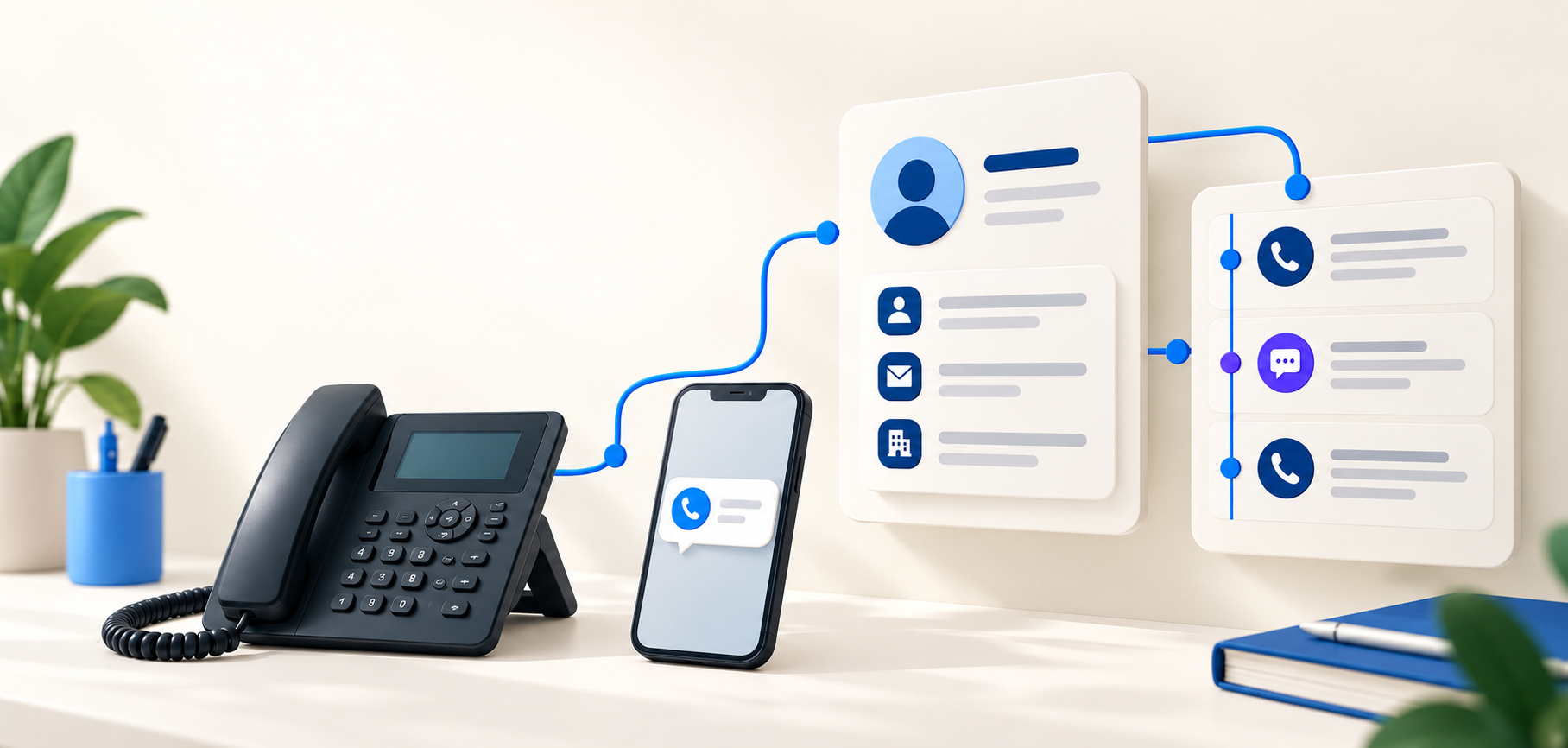
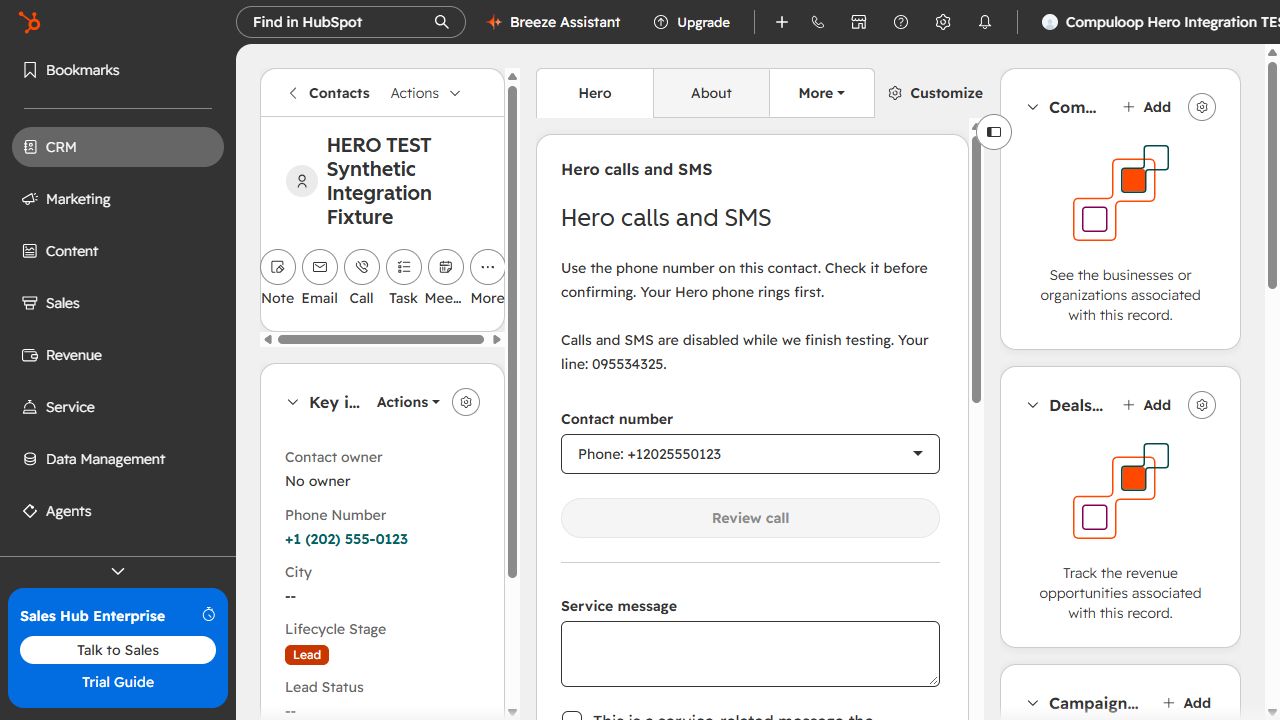
The Hero card sits alongside the contact record. It shows the selected phone connection and the available call and SMS controls.
This is a real test-account screenshot, not a design mock-up. Disabled controls show the current release hold.
Green ticks mean included in the package. Red crosses mean not included. Availability still depends on the release status and provider support explained above.
| Feature | Basic US$300.00/user/year Paid annually upfront | Advanced US$420.00/user/year Paid annually upfront |
|---|---|---|
| Calls | ||
| Click to call Start a call from a HubSpot contact using your existing phone. | Included | Included |
| Automatic call history Keep incoming, outgoing and missed calls with the customer record. | Included | Included |
| Find the right contact Match phone numbers to your existing HubSpot contacts. | Included | Included |
| Call details See the direction, time, duration and outcome of a call. | Included | Included |
| Call recordings Open available recordings when your administrator enables access. | Included | Included |
| Follow-ups | ||
| Missed-call tasks Keep track of people who need a callback. | Included | Included |
| Incoming caller identification See the matching contact when a supported incoming-call event arrives. | Not included | Included |
| Shared callback list Claim, assign and complete callbacks across your team. | Not included | Included |
| Completed callback detection Close a callback after a matching answered call is confirmed. | Not included | Included |
| Call reports Review team call volumes and outcomes. | Not included | Included |
| Optional SMS | ||
| Send a text message Send individual messages to contacts using a supported SMS service. | Included | Included |
| SMS history and status Keep message activity and available delivery updates with the contact. | Included | Included |
| Reusable SMS templates Use saved messages to reduce typing. | Not included | Included |
| SMS reminders Prepare follow-up reminders for supported messaging workflows. | Not included | Included |
| Simple AI | ||
| AI call summaries Bring in short summaries already supplied by your phone provider. | Not included | Not included |
| AI next steps Show suggested follow-up actions where your provider supplies them. | Not included | Not included |
| Account and setup | ||
| Managed hosting CompuLoop hosts and maintains the integration. No server to install. | Included | Included |
| Sign-in, team and support | ||
| Sign in with HubSpot, Google or Microsoft | Included | Included |
| Start with one connected user | Included | Included |
| Staff invitations and phone assignments | Included | Included |
| Subscription and connection management | Included | Included |
| Standard business-hours support | Included | Included |
| Priority business-hours support | Not included | Included |
Use HubSpot, Google or Microsoft. HubSpot sign-in can also connect your CRM during signup. You still approve access to your accounts.
Pay annually per connected user, starting from one. Your administrator connects the business once, invites staff and matches each person to a phone.
Manage sign-in methods, your subscription and your HubSpot connection. Recording and AI access depend on supported provider features and your administrator's choices.
Basic includes standard business-hours support. Advanced includes priority business-hours support.
AI summaries and next steps are planned for a later release and are currently unavailable. No AI outputs, transcripts or summaries are enabled in the initial release. Calls-only customers do not need an SMS plan, sender or SMS test. Incoming SMS replies are subject to provider validation and are not promised in either package.
Your phone service, usage, provider AI and HubSpot subscriptions remain separate.
Optional help from CompuLoop
No mandatory setup fee. Set it up yourself with the guide, or request a block of hands-on help at US$199.00 per hour. All amounts are USD, excluding applicable tax.
Quick help
1 hour of setup help
Help with a specific setup step or a short team walkthrough.
Request 1 hourGuided setup
3 hours of setup help
Time for account connections, phone assignments and a team walkthrough.
Request 3 hoursTeam setup
5 hours of setup help
More time for a larger team, configuration review and training.
Request 5 hoursOptional, one-off service blocks, separate from your subscription. We confirm the scope, availability and total before you book. These are time allowances, not a guarantee that every integration can be completed within a block. Extra time requires your agreement. Requesting help does not start a charge or enable calls or SMS.