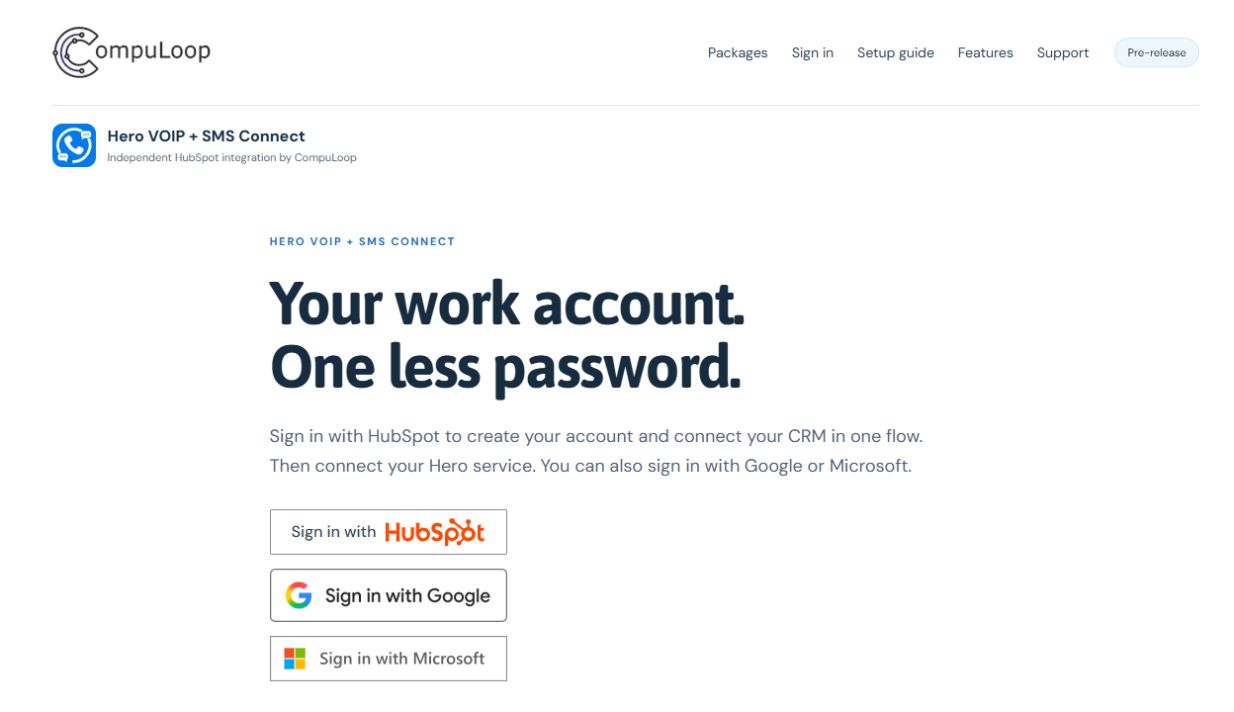
Choose Sign in with HubSpot. Select your business account and approve the connection. The same button works for a new account or an existing account.
Prefer Google or Microsoft? Use either button, then choose Connect HubSpot. If HubSpot already says Connected, move to the next step.
The actual app sign-in screen. Select the image to enlarge it.
2
Connect your Hero account
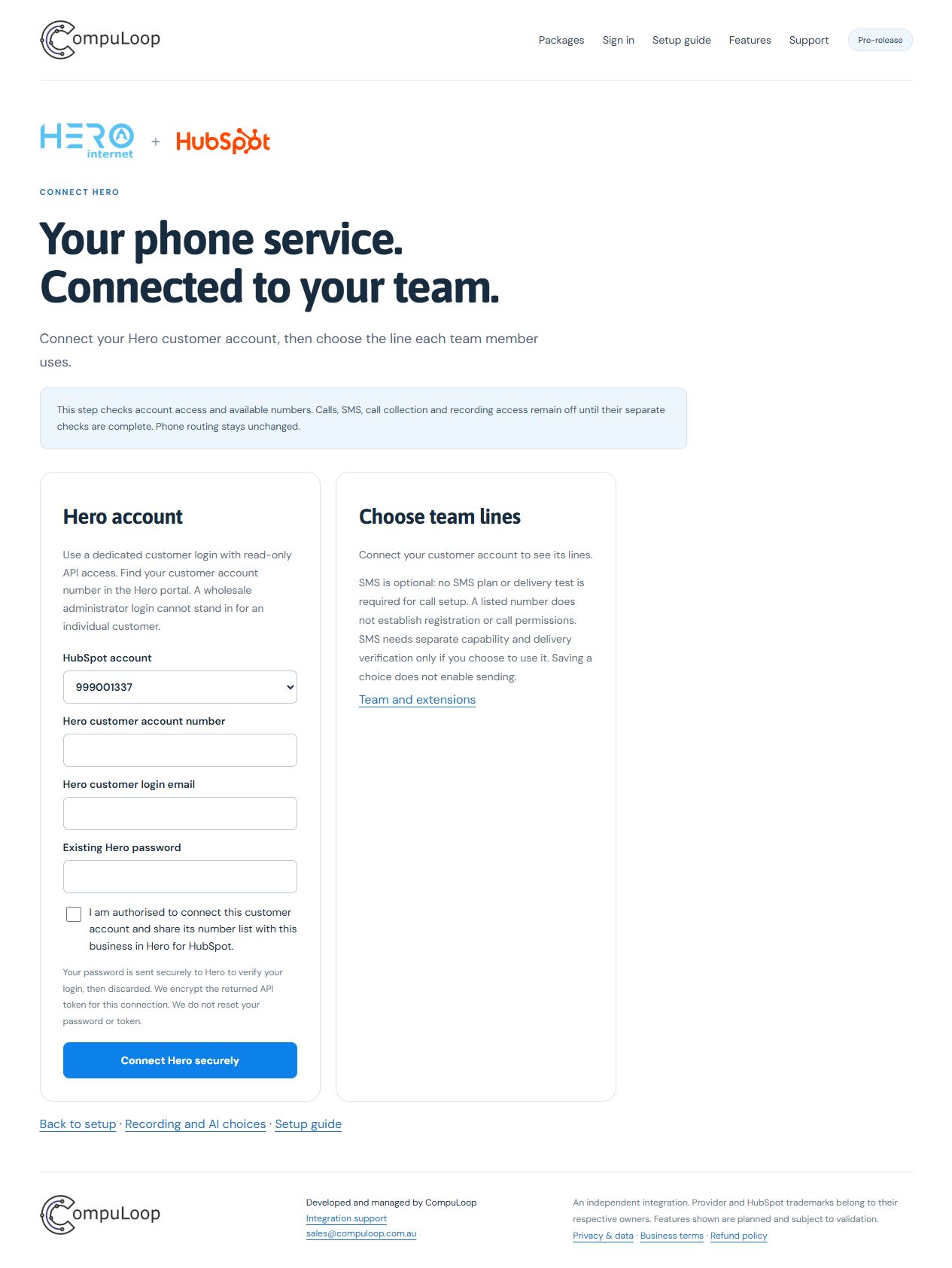
Choose Connect Hero. Your phone-account administrator may need to help with this step. SMS is optional — leave it off if you only want calls.
What does my administrator need?
A dedicated Hero customer login and customer account number. Enter these on the secure provider page. After assigning staff, choose each person’s line and use Connect this phone line to store its existing line password. The line password may differ from the customer login password.
Enter passwords and API keys only in the secure app forms. Never email them to support. Connecting does not buy numbers, change call routing or start a call.
Open Hero connection setupActual setup screen with example data. Your account details will differ. Select the image to enlarge it.
3
Choose who uses each phone
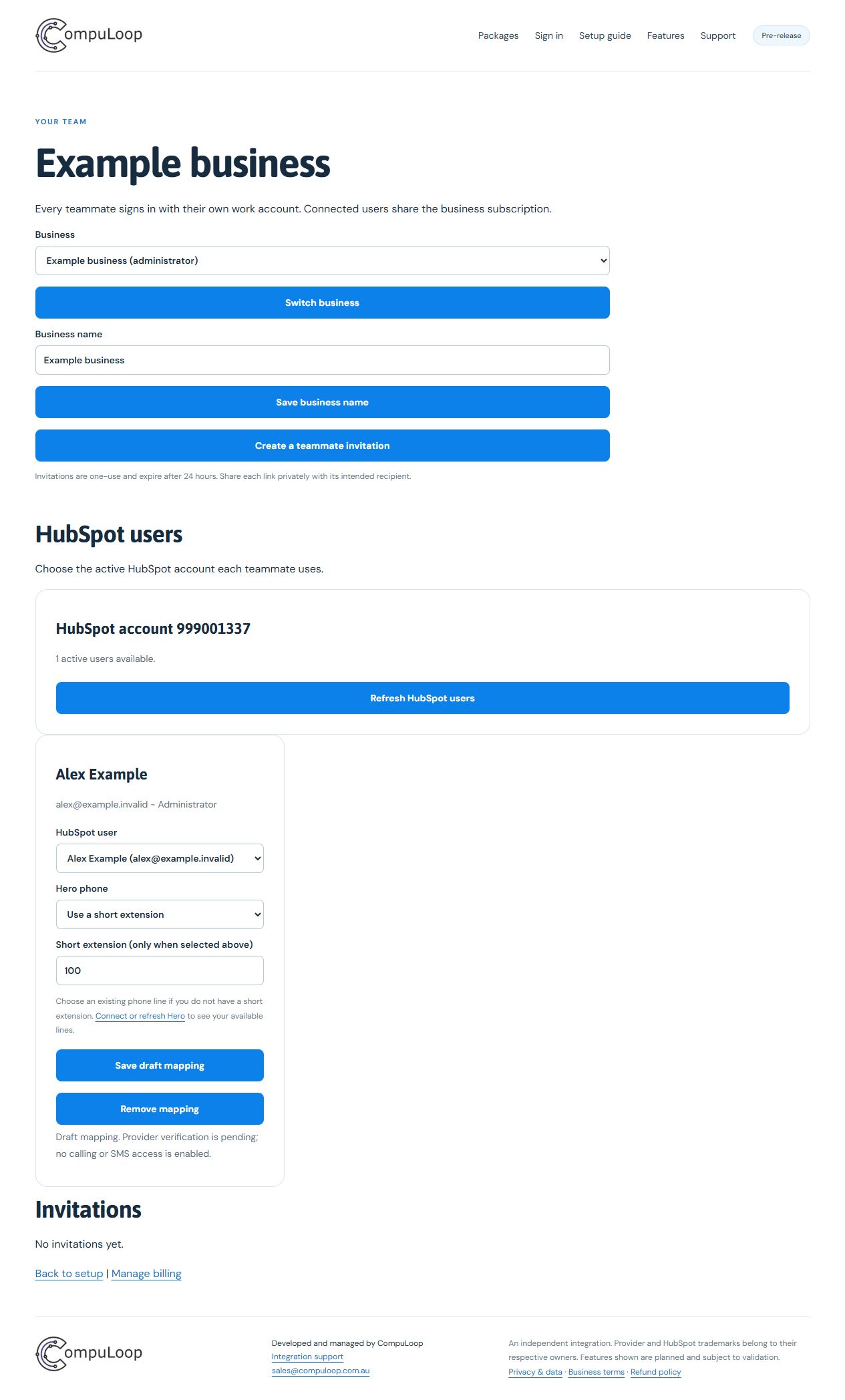
Open Team and phones, refresh the HubSpot staff list and match each person to their phone line or extension. Invite the people who need access. Staff do not need to repeat the business connection.
Open team setupActual team screen with example data. Your staff and phone details will differ. Select the image to enlarge it.
4
Choose your package and check your connection
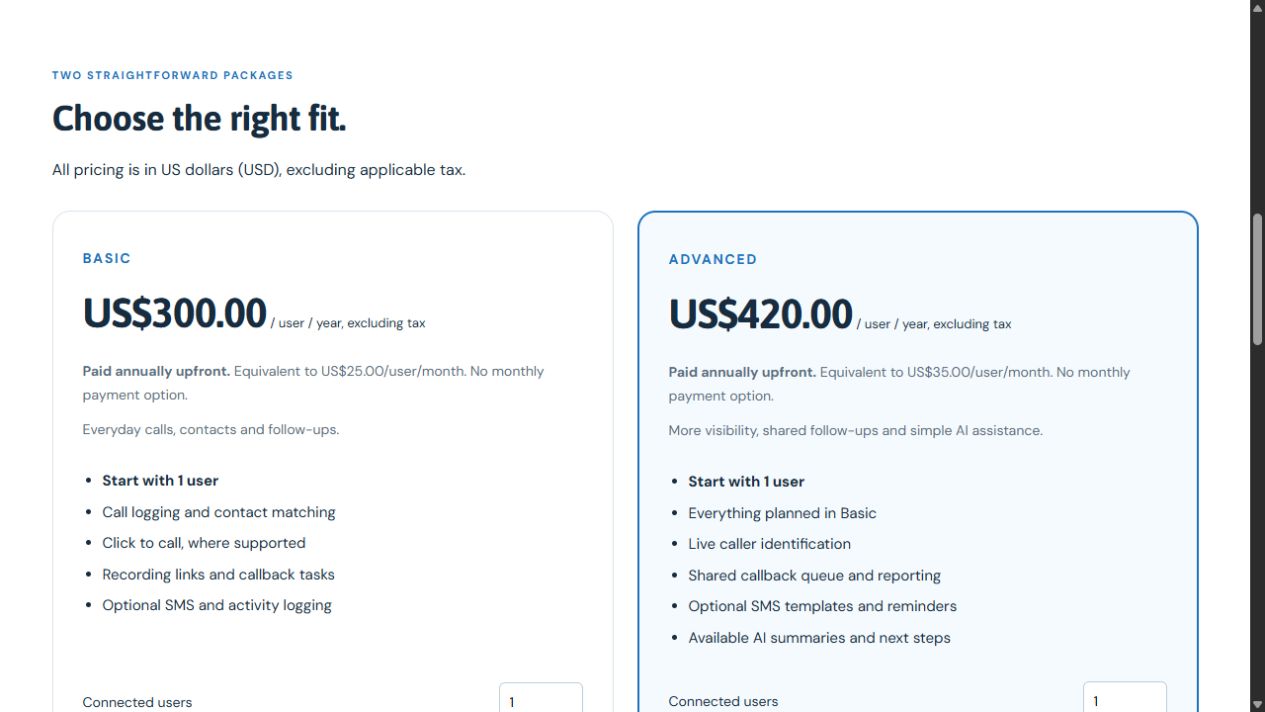
Choose Basic at US$300 per connected user/year or Advanced at US$420 per connected user/year, paid annually upfront. These are equivalent to US$25 or US$35 per user/month. There is no monthly payment option. Start with one user and choose the number your team needs. Prices are in US dollars (USD), excluding applicable tax. There is no mandatory setup fee.
Checkout is currently closed. Before activation, we check calling and the HubSpot activity together. SMS checks are needed only if you choose messaging.
View subscription optionsThe actual package comparison. Annual prices are paid upfront in USD, excluding tax. Select the image to enlarge it.
For your sales team
Once the service is activated, open a HubSpot contact and use the integration’s call button. The intended flow rings your existing phone first, then connects the contact. The Hero calling flow is still being verified. You can see the contact and follow-up work in HubSpot.
If a call or message has an unknown result, check its status before retrying. Use Features to see what each package includes.